Manage workspace
Set limits for outbound calls
Control destinations, delivery rate, and timeout for webhooks and automation calls.
The outbound-call policy controls requests Flow sends from this workspace to external services. It is separate from inbound API allowances and from a person's permission to manage a webhook or automation.
Set the policy
You must be the active workspace Owner in a browser session. Admin and named-role authority cannot override this boundary.
Open Manage workspace → Security → Outbound calls and choose Edit.
Enter Allowed hosts, one per line. A host such as
hooks.example.compermits that host;*.example.compermits subdomains. Use only destinations intended for the integration. An empty list permits public HTTPS hosts subject to network safety checks.Set Deliveries per minute. Here,
0means no rate cap; it does not disable delivery. This differs from a plan allowance of zero, which provides no capacity.Set Request timeout (seconds) from 1 to 30.
Choose Save and check Outbound call policy saved.. Review the destination, cap, and timeout summary.
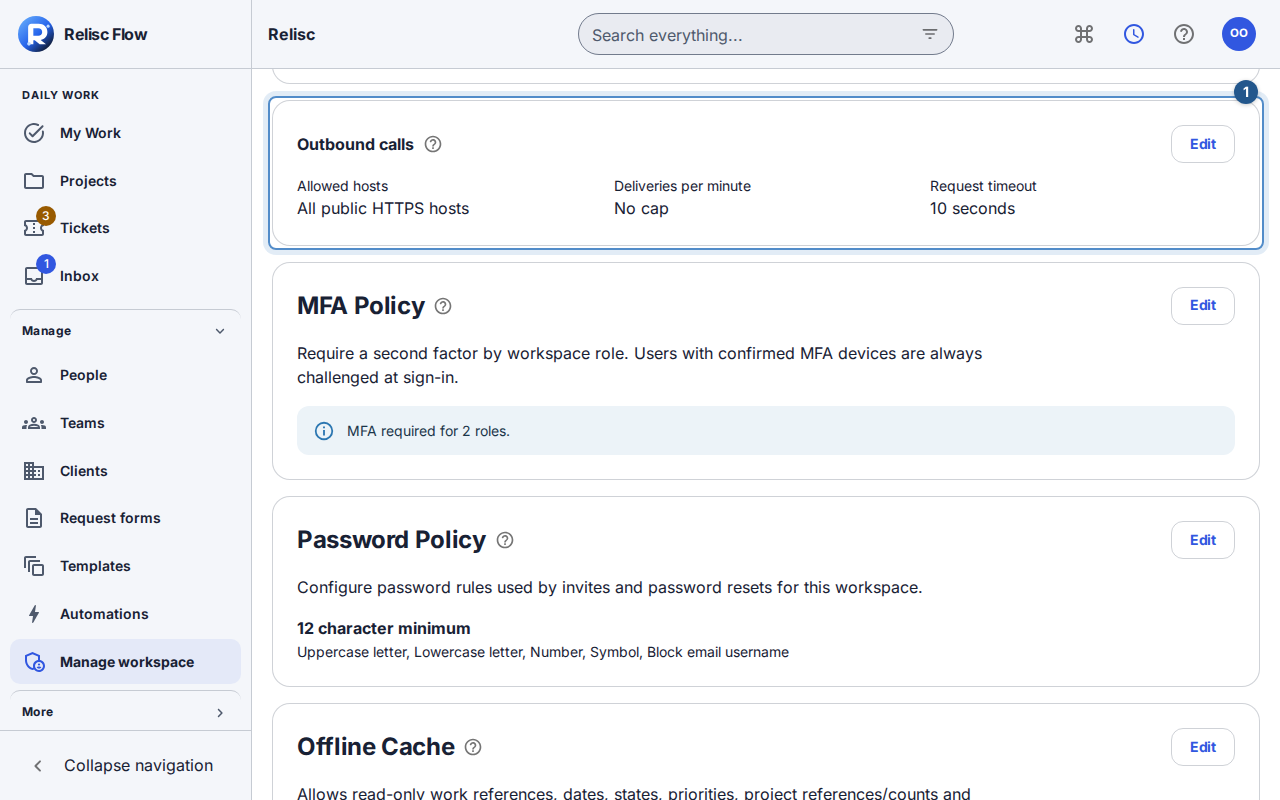
Expected result
The policy applies to workspace webhook and automation deliveries. An allowlisted hostname does not override network safety checks or publish internal content. Saving a policy does not create a webhook, authorize a new recipient, or resend a failed delivery.
If a call or save fails
Check the intended destination against the saved host list, then review the integration's authorized delivery history. A timeout can mean the recipient was slow; do not infer that the recipient did nothing or repeatedly resend an uncertain operation.
Wait for the policy to load before editing. Cancel discards a draft. If the policy changed elsewhere, reload the current values, review your intended change, and save again. For permission denial, ask the current Owner; changing a role name cannot unlock these controls.