Projects
Plan dependencies and read the critical path
Connect prerequisites, explain schedule conflicts, and identify the chain that controls completion.
A dependency explains why one item must wait for another. The critical path identifies the scheduled chain that controls the project's finish; it is not simply a list of high-priority tasks.
A handover dependency chain
- Prepare draftFinish to start →Review
- ReviewFinish to start →Deliver
- Collect reference links
In words: review waits for the draft, and delivery waits for review. Collecting reference links is independent unless you explicitly connect it. This example illustrates the relationship; Flow calculates critical-path results from actual visible dates and dependencies.
Connect and inspect work — 4 minutes
Before you start: prepare two readable work items in the same workspace. To add or change a dependency you need the item's dependency-management capability and authority over the affected work. Read-only users can inspect permitted planning results.
Open the item that must wait, such as “Deliver handover.” In Dependencies, choose Add dependency.
Search Dependent task or subtask by title/key, or paste a same-workspace work-item link. Select the actual suggested task. With Dependency type set to Blocked by, selecting “Review handover” means Review blocks the item you currently have open. Read the helper text before saving; choosing Blocks reverses that meaning.
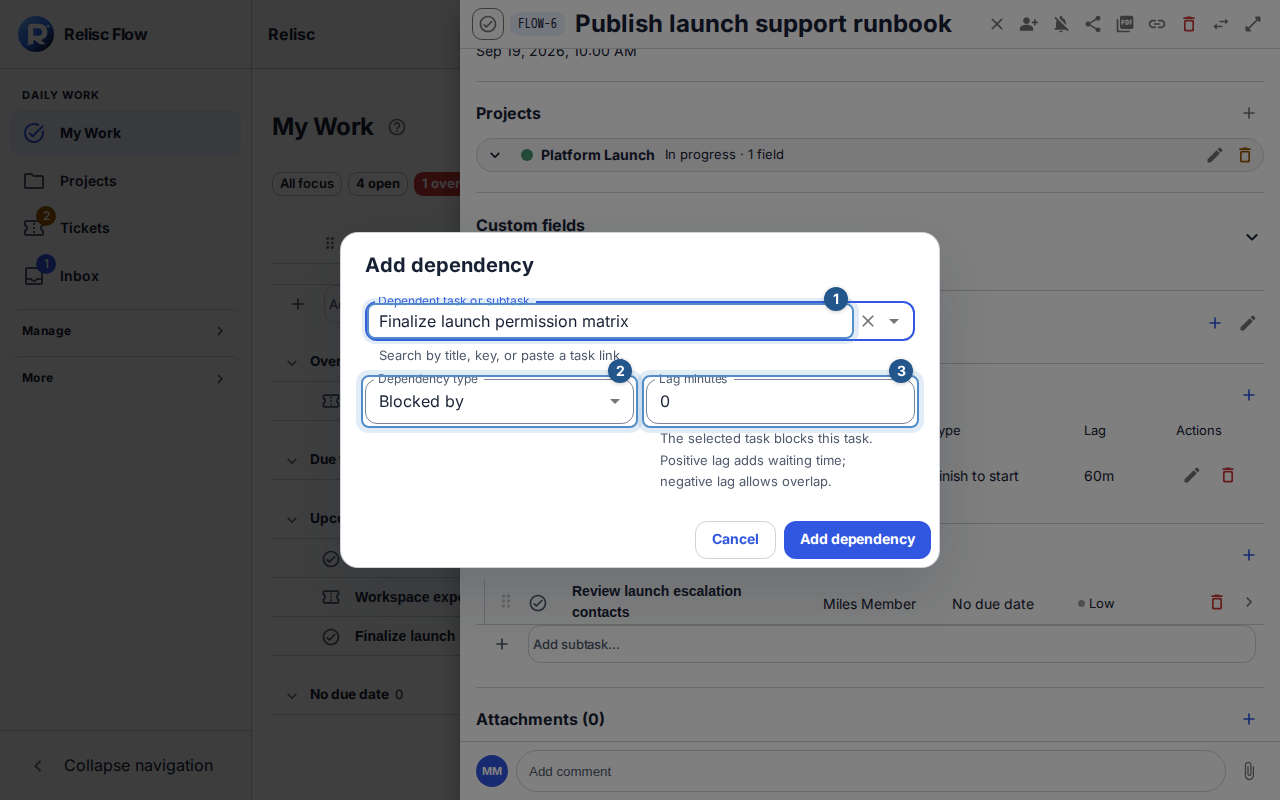
Add dependency shows the selected work item, relationship type, and lag with directional guidance. Set Lag minutes if needed and choose Add dependency. Positive lag adds waiting time; negative lag allows overlap. For schedule relationships, Finish to start compares this item's finish with the selected item's start, Start to start compares starts, and Finish to finish compares finishes.
Open the project and choose Timeline. Give the relevant work explicit start and due dates using Schedule … → Save schedule where required. Read Dependency and conflict list and the Critical path indicators. Follow a conflicting relationship back to its source and target dates before adjusting the plan.
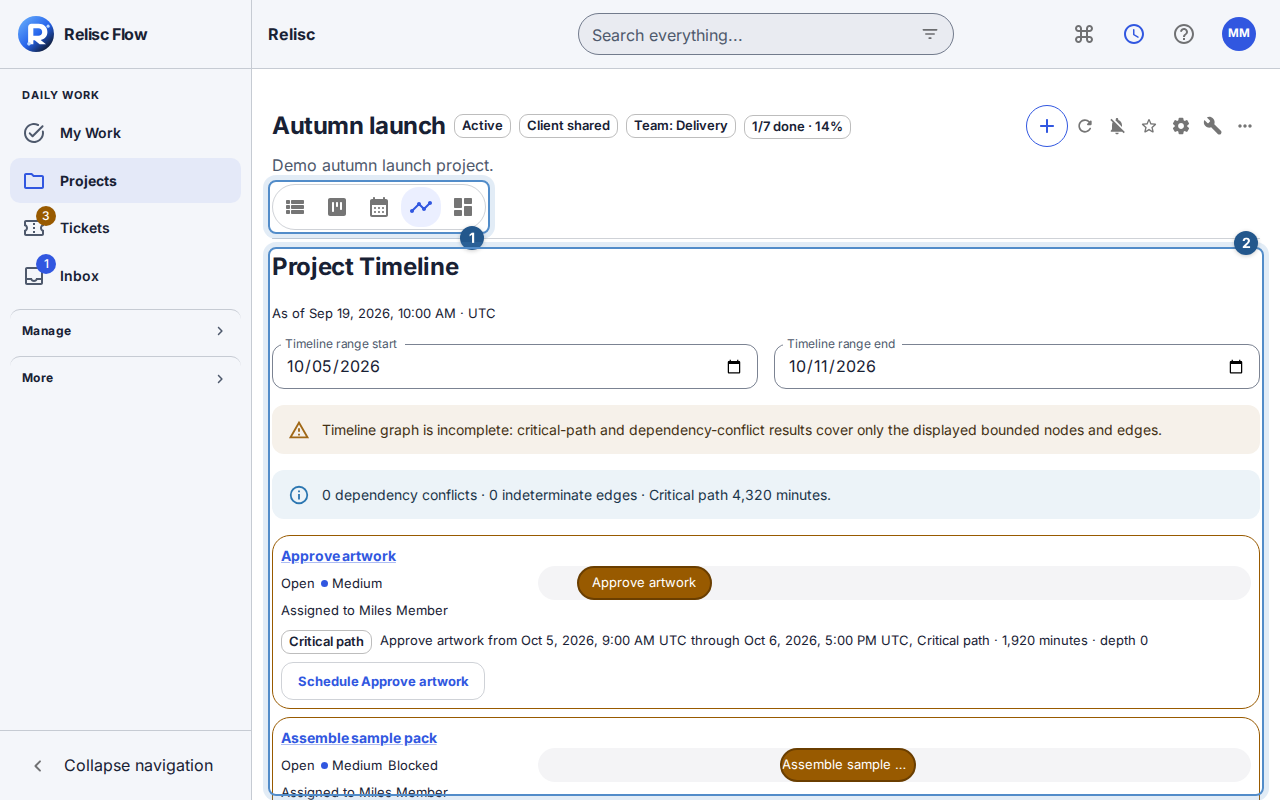
Timeline reports dependency conflicts and the critical-path duration for its displayed range, including any incomplete-analysis warning. 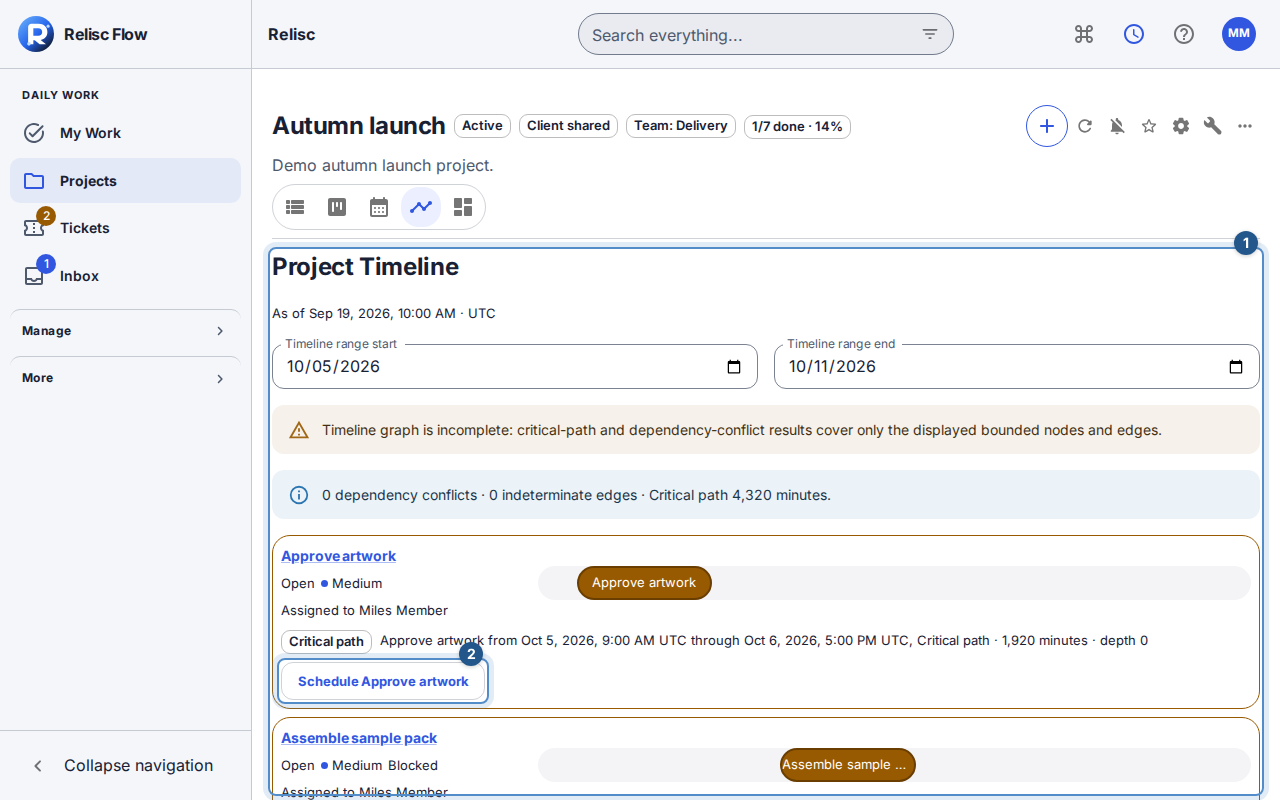
The scheduled artwork row shows its Critical path indicator, dates, and Schedule action. 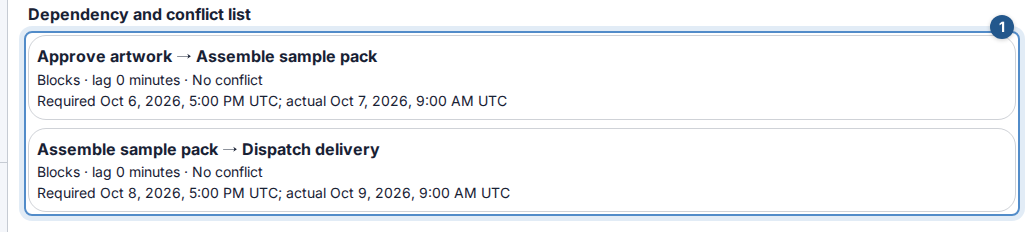
The dependency and conflict list gives the relationships below the timeline a separate readable view.
Expected result: the relationship states the intended prerequisite, and the timeline explains whether the visible schedule satisfies it.
Completion rules are not automatic scheduling
Unfinished blockers can prevent task completion or a ticket's terminal transition when dependency enforcement applies. Changing a date does not complete a blocker. Do not assume that adding a dependency automatically moves dates: automatic scheduling is a separate workspace policy, off by default.
Dependencies can cross projects within one workspace when access permits. They cannot cross workspaces or form a cycle. If A already depends on B, making B depend on A is invalid.
Incomplete or unavailable analysis
Missing dates can make a relationship indeterminate. A hidden endpoint, date-range boundary, or result limit can make critical-path analysis incomplete. Read that warning before quoting a finish estimate; load more or widen the range where possible. On a stale edit, reload and review the current relationship before retrying. If a target is unavailable, ask its manager to check access rather than guessing its dates.