Troubleshooting
I cannot see a ticket
Check the workspace, filters, and current sharing without exposing restricted work.
A ticket appears only when your current workspace membership and the ticket's sharing allow it. A link, email notification, or mention does not itself grant access.
Check the context first
Check the signed-in account and selected workspace. Switch to the workspace where the request belongs; search does not combine workspaces.
If you are an internal user, open Tickets. Clear selected quick filters by selecting their chips again, and review Client and Assignee. A saved view may retain filters that hide the ticket.
If you are a client, use your client portal's requests list. Client users normally see their own tickets and explicitly shared work; a Client Admin's authority applies only to the organization where they hold that role.
Wait for loading to finish. If a request failed, use the displayed Retry action before interpreting an empty list. If you know the ticket's readable key, use search within the correct workspace.
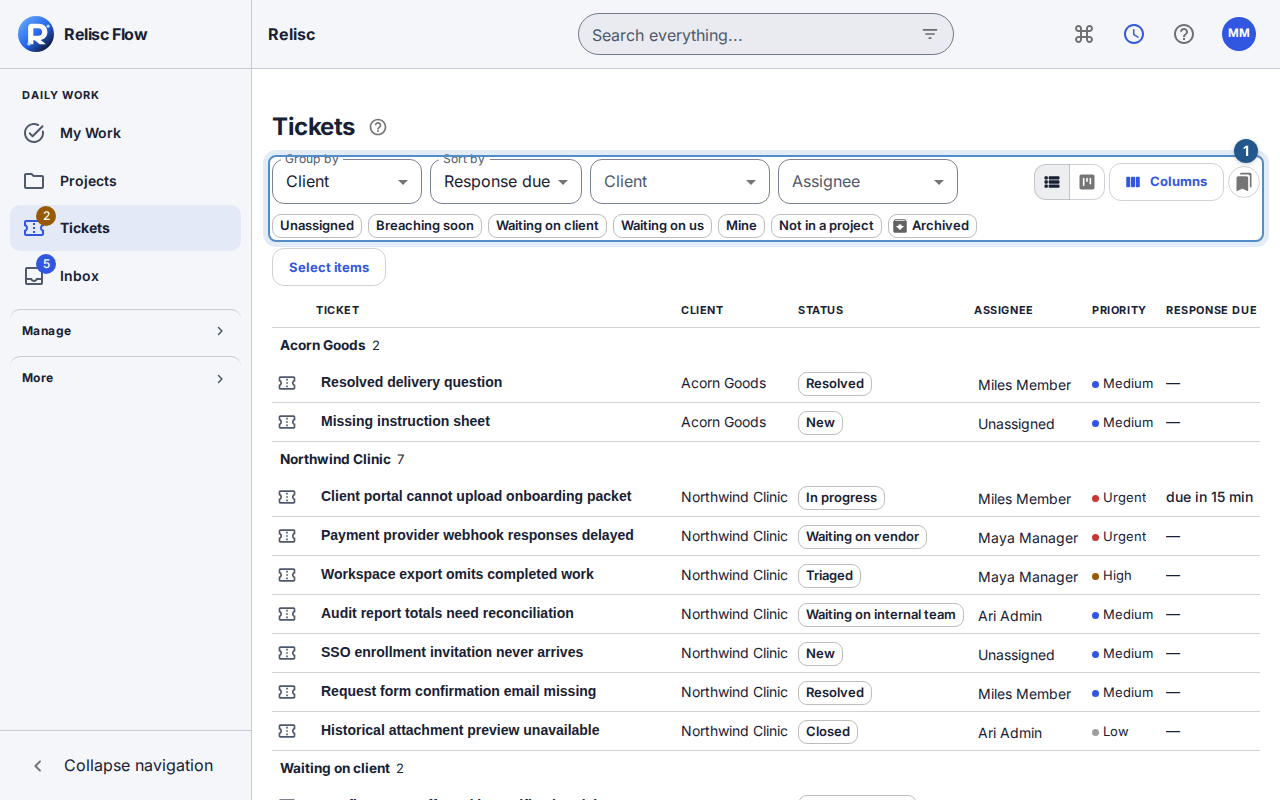
When filters are not the cause
Ask the workspace administrator, or your client organization's administrator, to check your active membership, current role, organization membership, and the project's sharing. A named role can permit internal notes without allowing public replies; seeing a ticket and being allowed to change it are different checks.
An unavailable response can mean the resource is no longer accessible. Flow intentionally does not confirm the existence of work you cannot read. Do not try another person's account or alter identifiers to reach it. Internal notes and their attachments remain hidden from clients even when the ticket is shared.
Still blocked?
Tell the administrator which workspace you selected and whether the list was empty, a filter was active, or access was denied. If there is a request reference, use request-failure guidance. Share only a safe description with support, not ticket bodies or private attachments. Restored permission should make the authorized ticket visible after a fresh load; a successful sign-in alone does not prove ticket access.