Troubleshooting
My email is not arriving
Distinguish a missing sign-in message from notification preferences or a delivery warning.
Start with the type of message you expected: invitation, password reset, MFA code, or a work notification. Each has a different recovery path.
Check the mailbox and request
Check the intended account's mailbox, spam folder, and mailbox rules. Confirm you entered the correct email address. Do not forward a sign-in code or invitation link to someone else.
For an invitation, ask the inviter to review its pending/accepted state and resend if appropriate. Use the newest link; older links stop working after resend.
For password recovery, request a fresh reset from the sign-in flow if needed. A generic response does not confirm that an account exists.
For MFA, use a current authenticator or unused recovery code if available. Email codes expire after ten minutes; return to sign-in for a new challenge if yours expired.
Check work-notification preferences
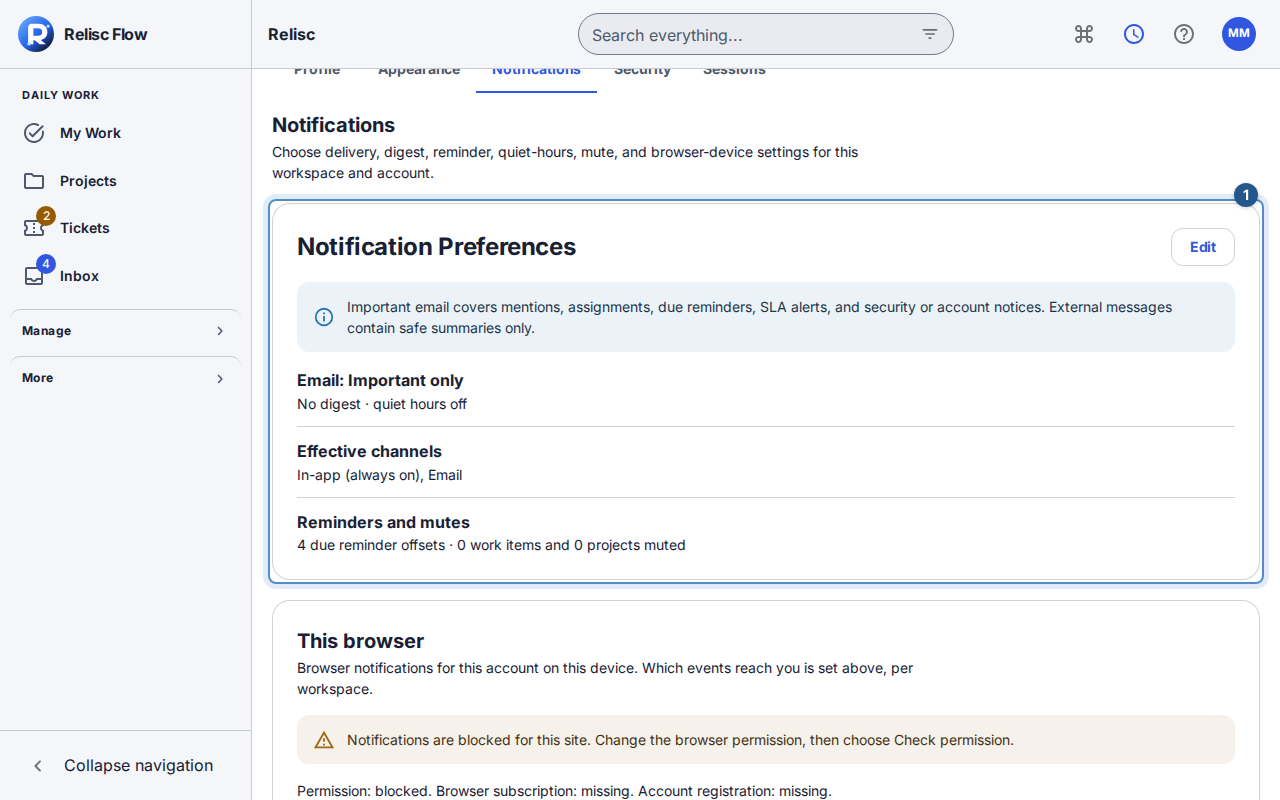
While signed in, choose Profile → Notifications for the intended workspace.
Review Notification Preferences, especially Email mode, channels, digest frequency, and quiet hours. Important only deliberately excludes ordinary updates; Digest only changes when eligible updates arrive.
Choose Edit, make any permitted change, and choose Save notification preferences. Check the saved state. Personal choices cannot enable a channel disabled by the workspace.
Check Inbox. Internal-note alerts are in-app only; they do not generate email. Quiet hours delay eligible external notifications while in-app updates remain immediate.
Email not delivered
Email not delivered is a delivery warning, not an instruction to keep resending. Tell your workspace administrator or contact support so the address and delivery cause can be reviewed. Workspace Owners/Admins cannot remove global email suppressions themselves. Recovery permits future sends; earlier refused messages are not automatically resent.
This article concerns mail sent by Flow. It does not mean incoming email-to-ticket intake is active for your workspace. Use the signed-in portal or request form unless your workspace has explicitly confirmed an intake address. Public Help's contact email does not promise automatic ticket creation.