Files
Create and release a legal hold
Preserve covered records from purge and review the consequences before release.
Use a legal hold when covered workspace records must be preserved despite ordinary purge eligibility. A hold protects retention; it does not grant anyone permission to read a file, bypass scanning, or recover bytes that were already purged.
Before you start
Legal holds are Owner-only. You must be an active workspace Owner using the browser. Admins, Managers, client roles, custom roles, and API tokens do not receive this power. Decide the scope, an identifying name, and a meaningful reason of at least 10 characters. For a resource-specific hold, use that resource's exact ID, not a ticket's human-readable key.
Create the hold
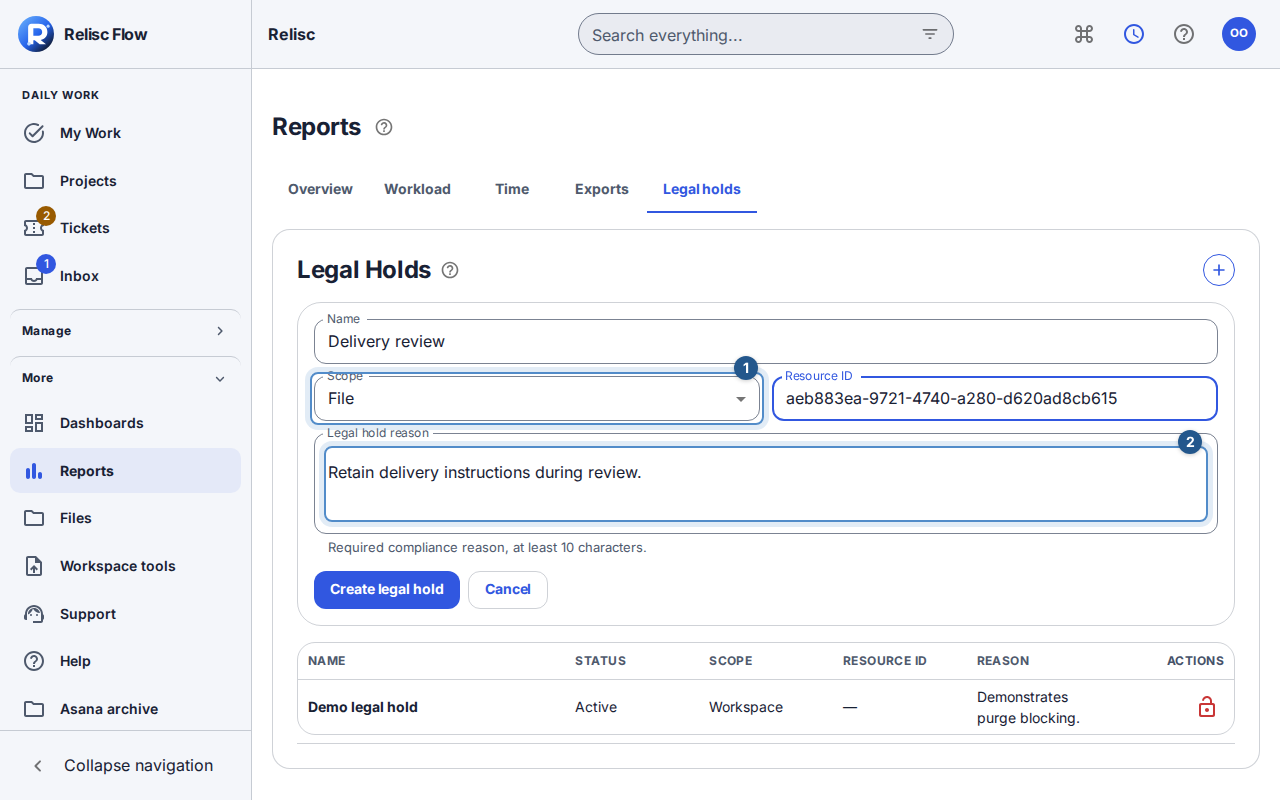
Open Reports → Legal holds and select Create legal hold.
Enter Name and choose Scope. Workspace scope covers the workspace; a narrower scope requires Resource ID. Select File only when you intend that particular file, rather than all work in a project.
Enter Legal hold reason, review the workspace and target, and select Create legal hold.
Wait for the created confirmation and check the active hold in the list. A request still in progress or an error is not confirmation that preservation is in place.
Release only when preservation is no longer required
Find the active hold and choose Release legal hold. In the confirmation, review the workspace, hold name, and reason.
Choose Cancel to keep it active, or Confirm legal hold release to release it. Wait for the released state. Creation and release are audited.
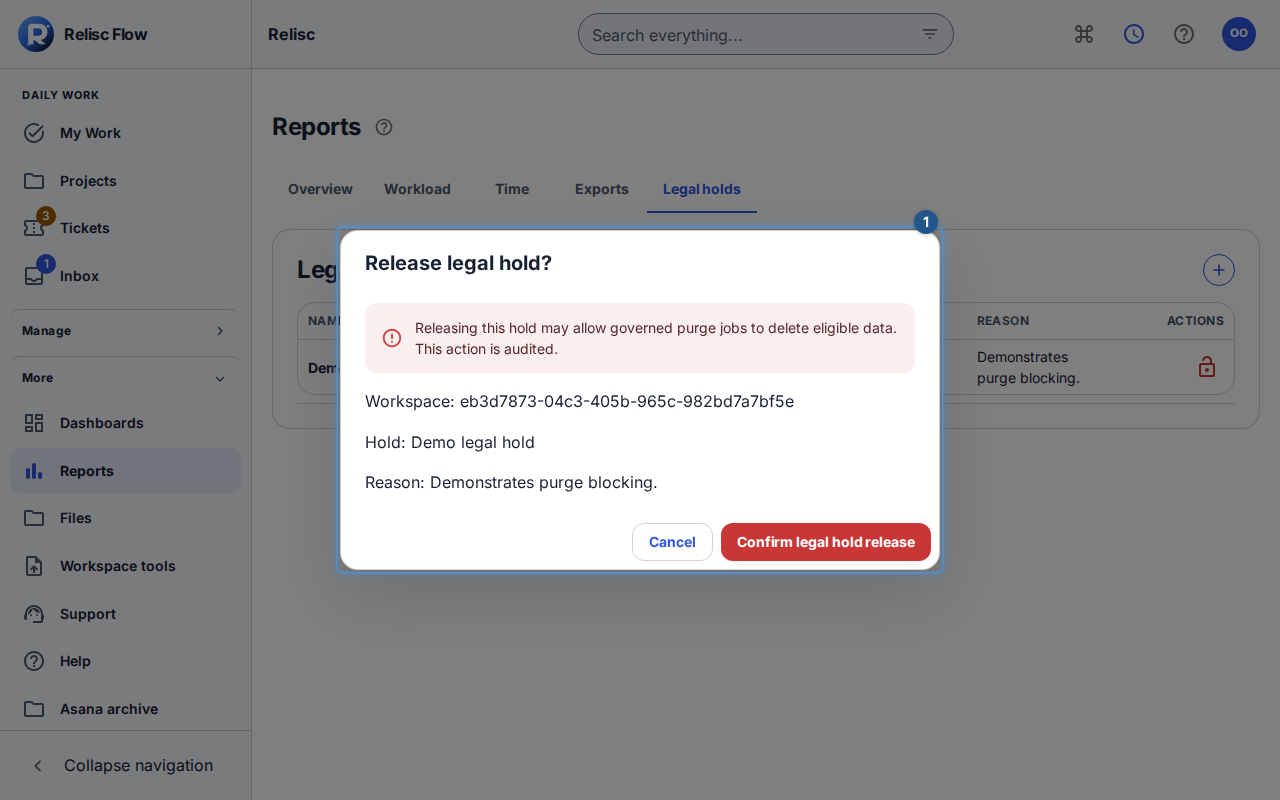
Releasing does not immediately delete every covered record. It removes this preservation barrier, so governed cleanup can purge eligible data under the current retention policy and any other applicable holds. A hold also does not promise that a soft-deleted attachment remains visible in ordinary file lists.
Recover an uncertain result
If creation or release reports an error, use the offered retry for that exact operation rather than creating a second hold or changing targets mid-request. Reload the list to inspect the recorded state when necessary. If your Owner access or workspace changed, return to the intended workspace and verify authority before acting. A missing Legal holds tab is not a reason to try a direct API call with a lesser role.