Reports
Request and download a report export
Follow a queued export to completion and recover a failed or expired download.
Request an export when you need an authorized file copy of report data. Generation happens in the background, so creating the request and downloading the completed artifact are separate steps.
Before you start
You need the export permission for the selected type and access to its underlying resources. Report export permission does not grant workspace or audit export authority: those are Owner browser operations. The list is scoped to your requesting identity and current authority; another person's export is not a shared report attachment.
Generate and download
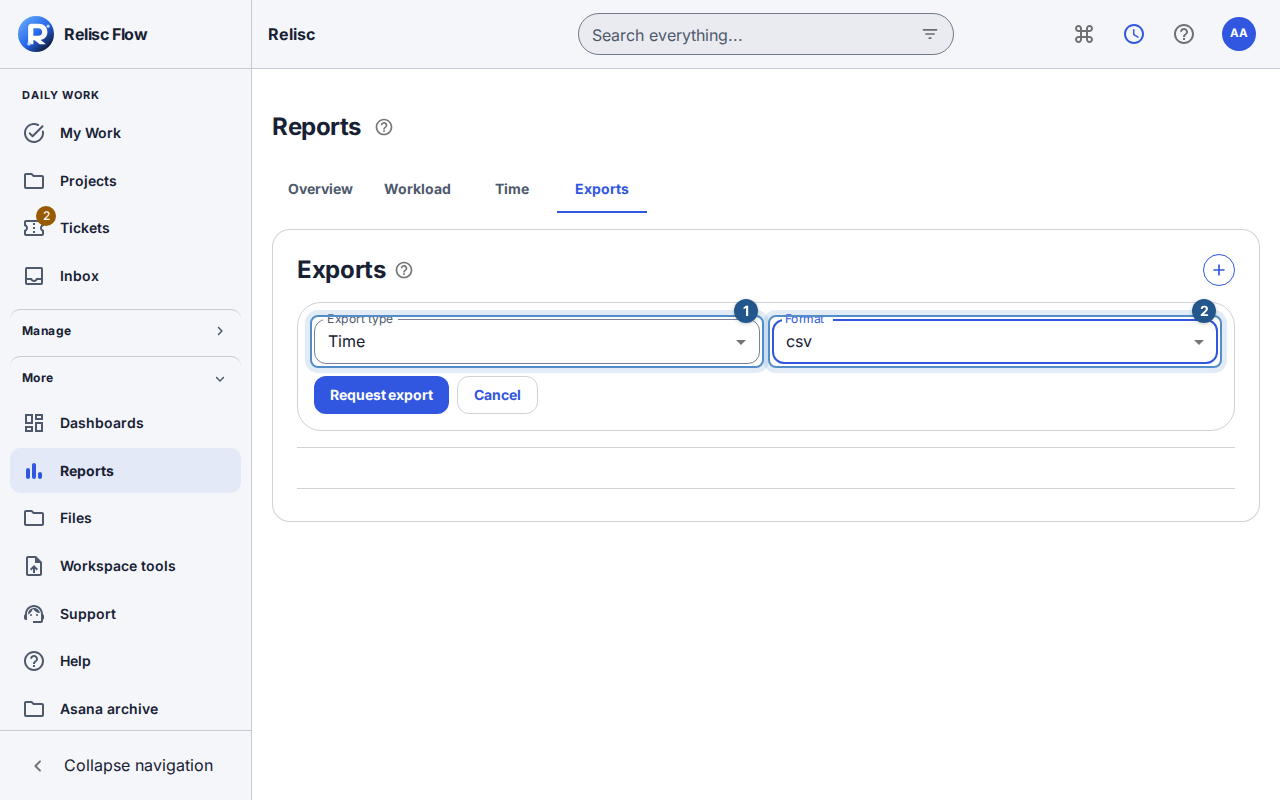
Open Reports → Exports and choose Request export.
Select Export type from the options you are allowed to use, such as SLA, time, or automation, and choose Format: JSON, CSV, XLSX, or PDF.
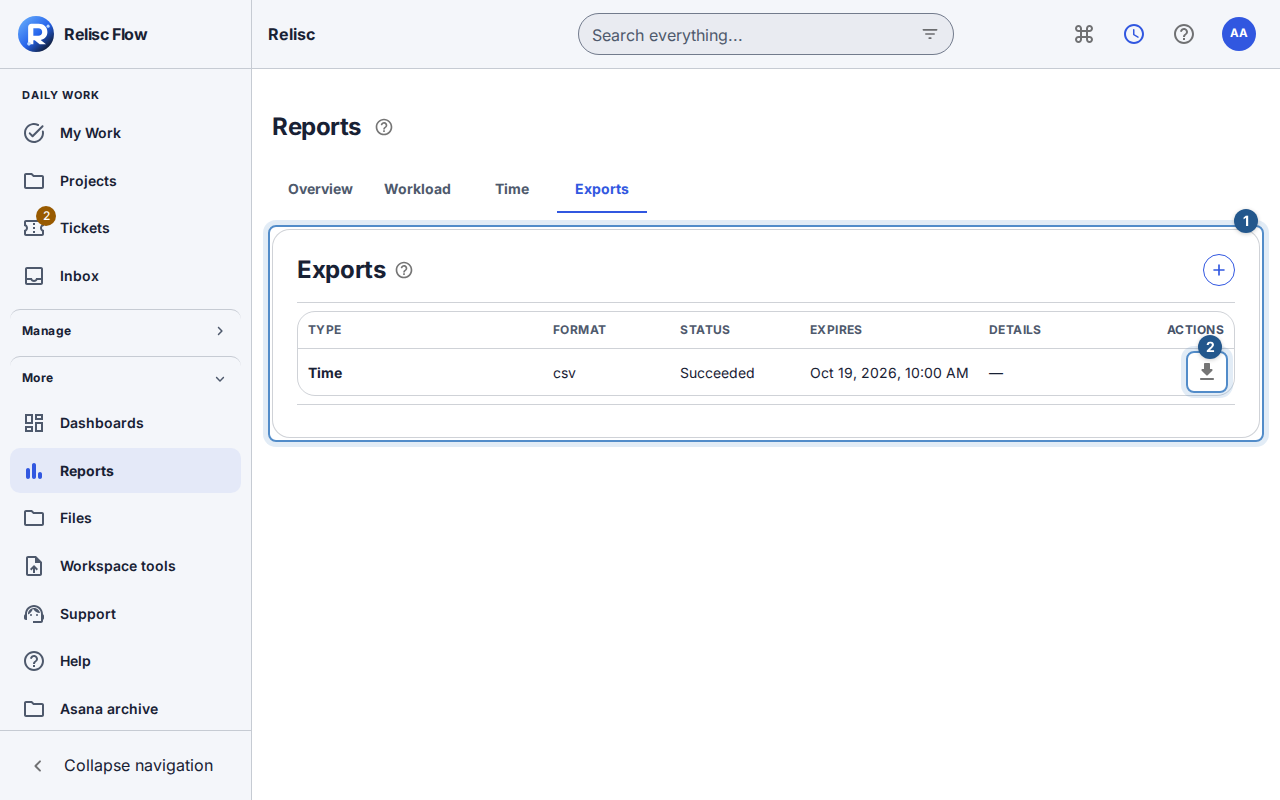
Submit Request export and wait for the queued/running result. The list refreshes while generation is in progress. A disabled Download button means the artifact is not yet available.
When the export succeeds, read its availability/expiry message and select Download. Flow authorizes the current download and starts saving the artifact to your device.
Open the downloaded file and check its type and scope before using it. The ordinary Exports form submits type and format; it does not automatically copy the dates, grouping, or columns from the Time tab. Use supported API/CLI report parameters when you need an explicitly parameterized export.
Recover a failure
For a failed generation, read the safe error and choose Retry export. This creates a replacement job with the original type, format, and parameters; the failed record remains visible. For an expired or unavailable artifact, request a fresh export if you still have authority.
If a download fails, return to the export row and request it again rather than reusing an old file link. Role changes, token restrictions, or lost resource access can invalidate generation or download of the export. Wait for list loading or use its retry before assuming an export disappeared.
An export already saved on your device is a separate copy. Restoring a source file version in Flow does not update it, and export jobs are not a workspace restore facility. See file-version restore semantics.