Manage workspace
Restrict workspace email domains
Set allowed sign-in domains without excluding current members or pending invitees.
Allowed domains limit which email addresses may participate in the workspace. They do not create memberships, grant project access, or configure a custom website address.
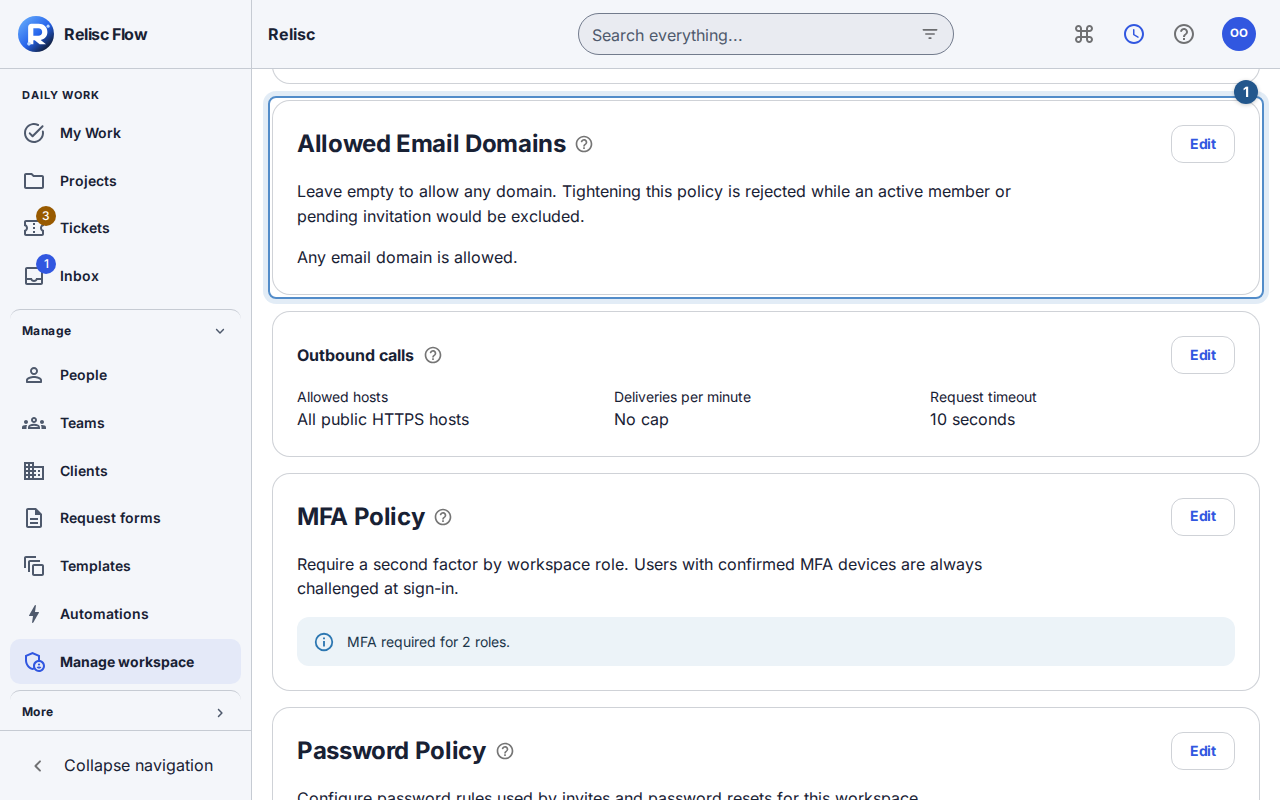
Save a domain policy
Only the workspace Owner can change this policy. Before narrowing it, review active members and pending invitations, including client users whose organizations may have an additional domain policy.
Open Manage workspace → Security → Allowed Email Domains.
Choose Edit and enter domains in Workspace domains, one per line or separated by commas. Enter domains, not full email addresses or website URLs.
Review the complete list. An empty list allows any email domain; it does not turn on public registration.
Choose Save domain policy. Workspace domain policy saved. confirms the change. Check the displayed list after saving.
What to expect
Flow checks domain policy during invitation acceptance and sign-in, including Google sign-in. A client user's email must satisfy both the workspace and the applicable client organization's restrictions. Existing active membership is still required; a matching email domain is not an invitation.
If the change is rejected
Flow refuses a tighter policy that would exclude active members or pending invitations. Review those people before deciding whether to change the proposed domain list or legitimately remove/revoke access. Do not repeatedly submit the same incompatible list. Cancel keeps the existing policy.
If the saved policy is malformed, ordinary workspace access is blocked. An Owner who completes the required sign-in checks receives the domain-policy recovery screen and can save a valid list there. If you cannot reach that recovery screen, contact support. An Admin or named role cannot bypass Owner-only recovery. Loading or error feedback must settle before you can rely on the displayed policy.