Tickets and clients
Keep a ticket note internal
Record investigation and handoff details without exposing them to the client.
Use an internal note for investigation, a colleague handoff, or a decision the client should not see. The note and its internal attachments stay inside the authorized internal audience, including in search and notifications.
Before you start
You need access to the ticket and permission to create and read internal comments. A Client Admin is still a client and cannot read internal notes. A named role may allow internal collaboration while prohibiting public replies or ticket-state changes.
Save a note
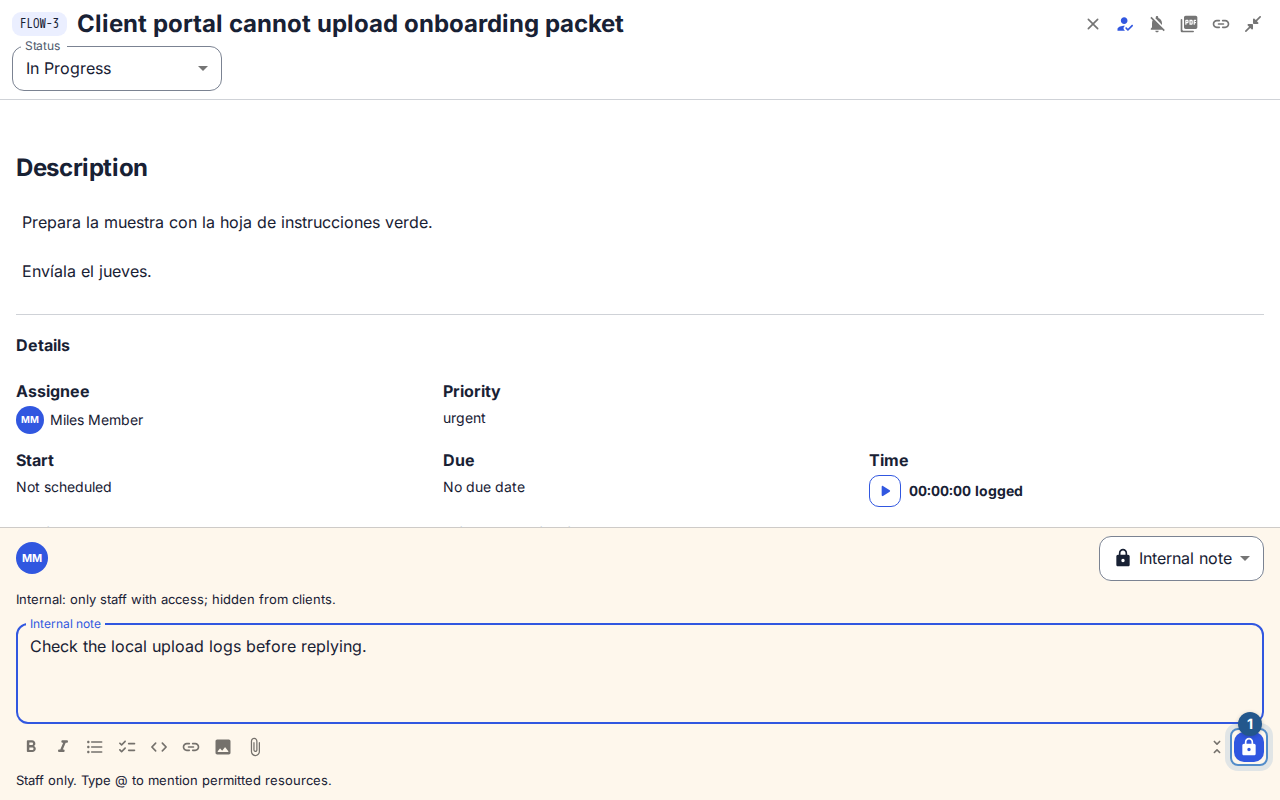
Open the ticket and expand Add internal note. Check the Internal note label; the lock icon is an additional cue, not a substitute for reading the audience.
If the composer is public, choose Internal note in Visibility before drafting. Review any audience-change notice and the remaining attachments.
Describe what you checked, the result, and the next action. Use
@to choose an allowed mention when a specific colleague needs to act. Mentioning someone does not give them access to hidden content.Attach supporting files if permitted, and wait for their scan states to settle. Select Save internal note.
Confirm the saved message and the internal label on the conversation entry. If the client needs an update too, write a separate public reply.
Understand the result
An internal note does not satisfy an SLA policy that expects a public internal-user response. It also does not change the ticket state. Use the state control separately when the next actor changes.
Recover a draft or permission change
If saving fails, read the error and check the conversation before repeating an uncertain send. Use the offered draft recovery rather than overwriting a newer draft from another session. If publishing rights were removed, a retained public draft can be reviewed as an internal note; recheck every file and the audience. If internal access was removed, stop and ask the workspace administrator to review your current role. Sending through another channel does not bypass the ticket's visibility rules.