Use cases
Onboard a new team
Bring colleagues into an existing workspace and finish their first small piece of work together.
Harbor Studio is adding two colleagues to its delivery team. The goal for their first morning is modest: sign in, find the launch project, and complete one preparation task. A useful welcome ends with work they can do, not just an invitation email.
Before the welcome
Start in an existing workspace. Agree who can invite members, who can create and manage the team, and who can create the first project. Those are separate permissions; ask the person with each permission to do that step. Choose the least access each colleague needs and check Roles and permissions if you use named roles.
If your organization does not yet have a workspace, request a workspace by email. Joining Flow is invitation-based; this walkthrough starts after workspace access is arranged.
Their first morning
1. Turn invitations into successful sign-ins
The person with invitation permission opens Manage workspace → People, selects Invite workspace member, and sends each colleague an invitation with an assignable internal role. Wait for the invitation result, then ask each recipient to accept and sign in. A pending invitation is not an active team member.
Use People and invitations for sending and resending. Give recipients Sign in, MFA and devices so they can finish the account steps required by the workspace.
2. Put the people in the team
In Teams, choose Create team, name it Delivery, and explain what it owns. Choose its visibility deliberately. Open the team and use Add member to select each eligible, active workspace member and their team role.
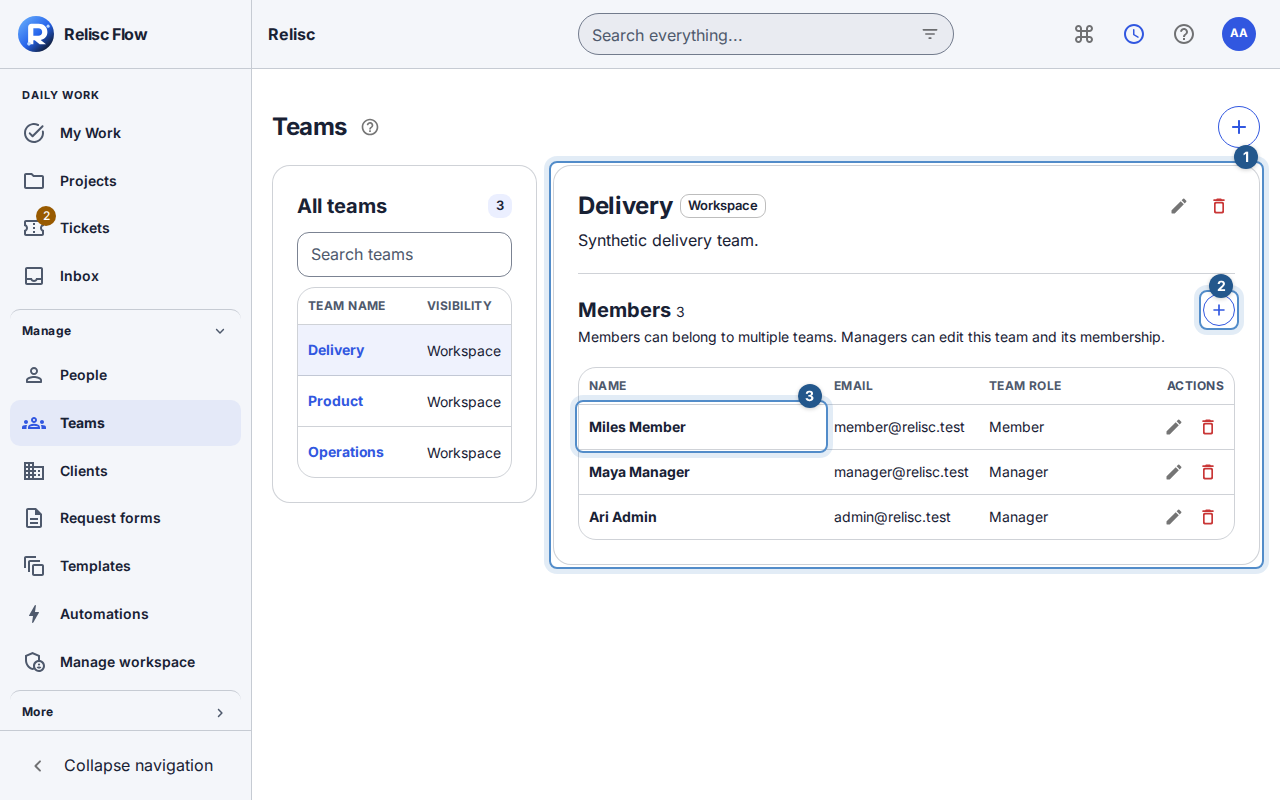
Follow Teams for membership changes. A team role describes responsibility within that team; it does not make someone a workspace administrator.
3. Give the team a small, visible first project
Create First delivery with Delivery selected as its team and the intended project visibility. Add two tasks: “Check the sample-pack checklist” and “Confirm the dispatch instructions”. Assign one to each colleague and set realistic due dates. Include the outcome in each description so the title is not their only instruction.
Use Create a project for the setup. Ask each colleague to open the project themselves; your ability to see it is not proof of their access.
4. Finish one complete work loop
Each colleague opens My Work in that workspace, finds their assigned task, reads the description, and adds a question or a short result in the conversation. They mark it complete only after the expected result is ready.
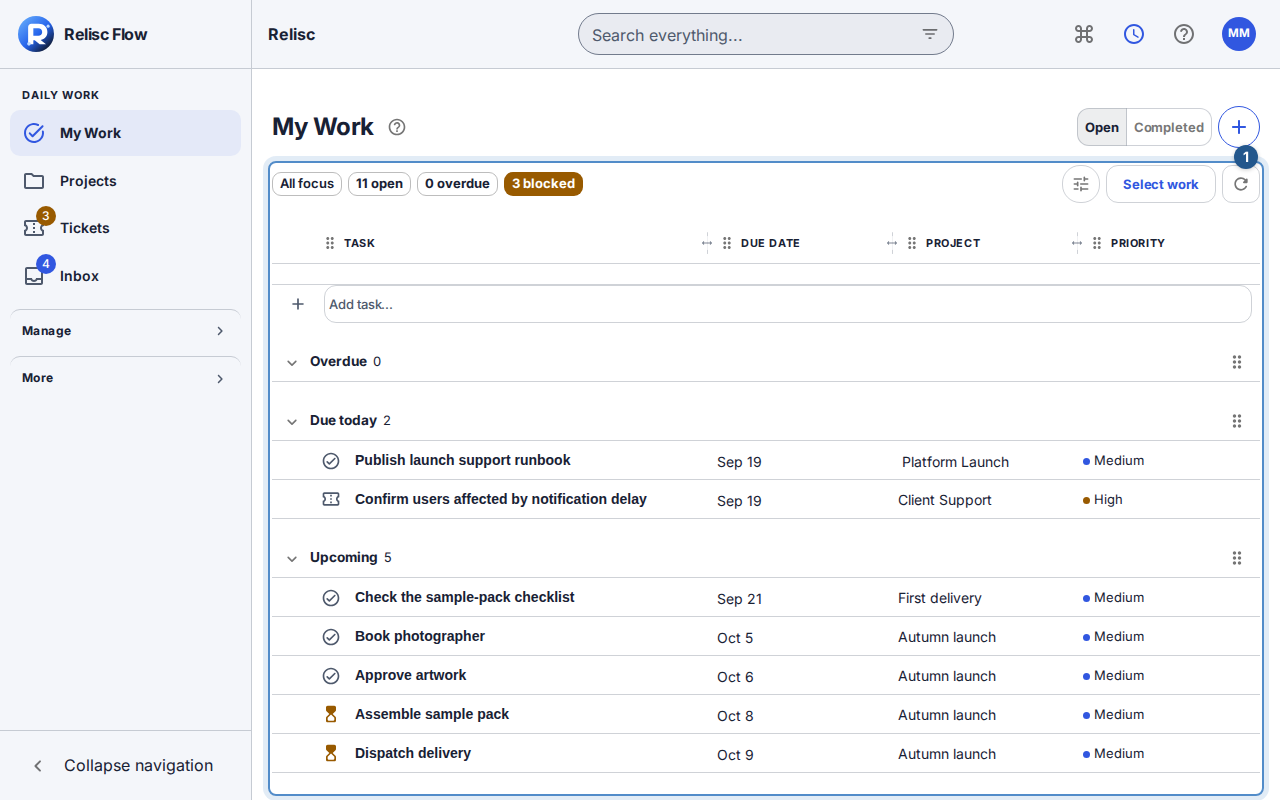
Use My Work for the daily routine. Let colleagues choose their own language, theme and density before the next session.
The useful finish: both colleagues can sign in, see the intended project, find their own work and leave a completed result the team can review.
If someone gets stuck
For an expired invitation, resend it and use the newest message. If a person is absent from Add member, confirm that they accepted and are an eligible active internal member. If My Work is empty, check the workspace, task assignment and whether the task is already complete. Wait for loading, retry failed reads, and ask the appropriate administrator to review missing access rather than raising everyone's role. Client contacts belong in client organizations, not in the internal team just to make an invitation easier.